Your dairy orders.
On Android and iOS.
Manage your product wishlist, orders, invoices, and payments from your phone. The Hyperbasket app supports Android and iOS for onboarded business customers.
- Android
- iOS
New to Hyperbasket? Our sales team will discuss your requirements, complete business onboarding, and help you get app access.
A look inside the app
From your business account to delivery checkout, see the ordering journey in these Android app screenshots.
- 01
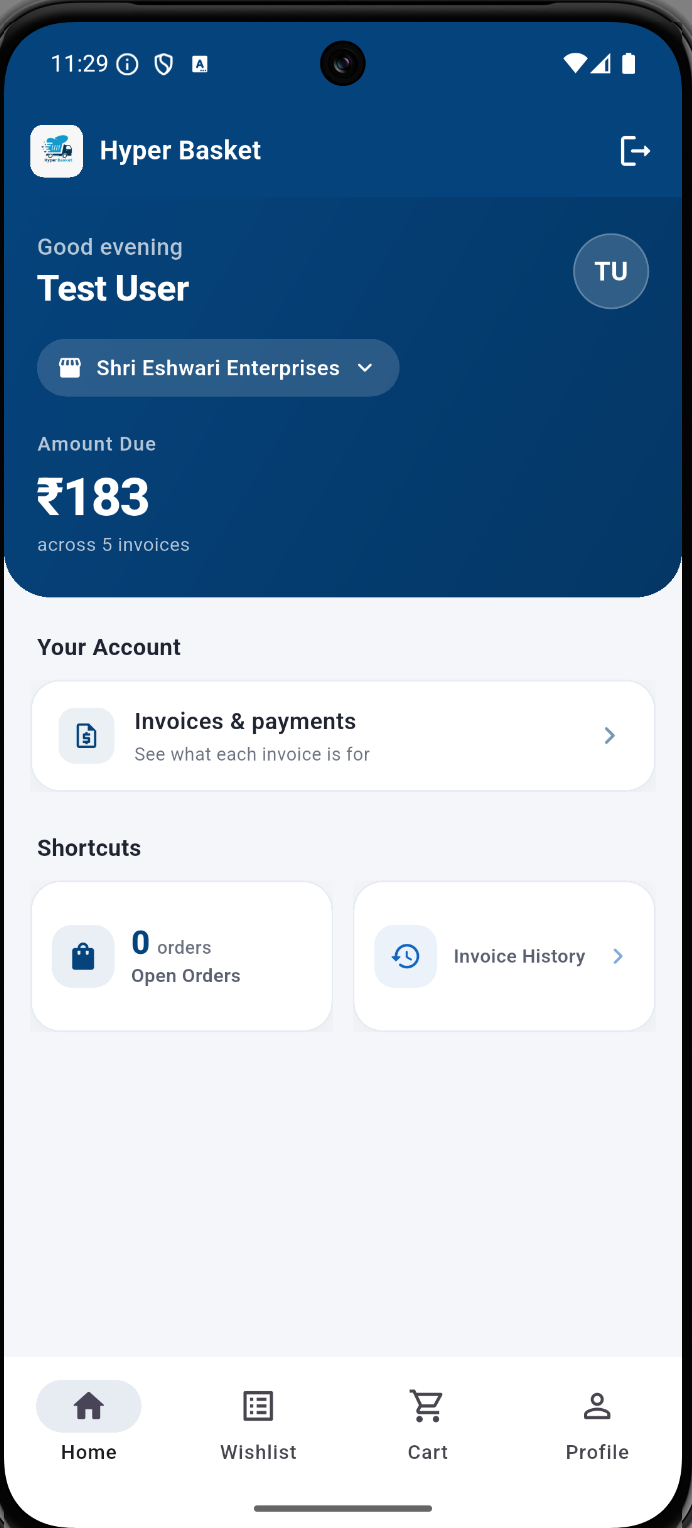
Your business account
See your outstanding balance, invoices, payments, and open orders from the home screen.
- 02
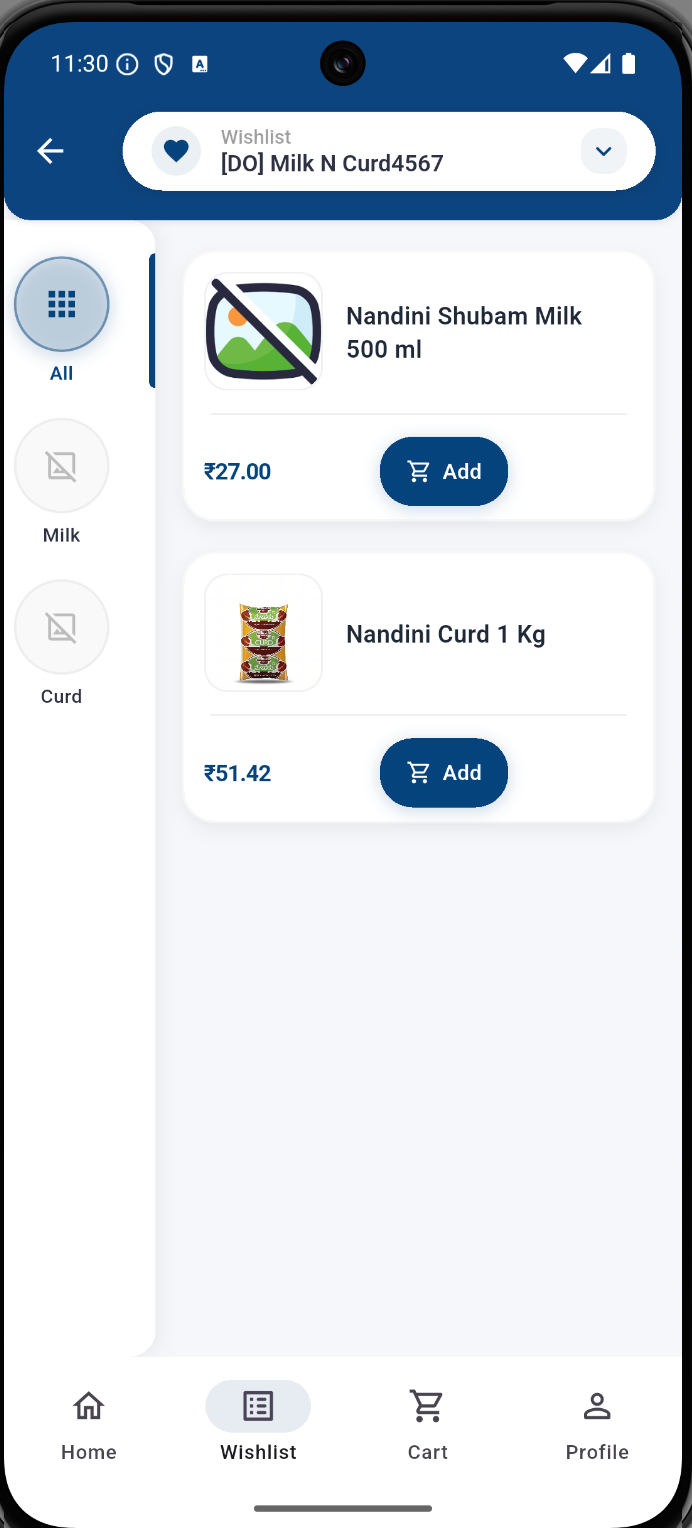
Your product wishlist
Browse your business’s product wishlist, check listed prices, and add dairy products to your cart.
- 03
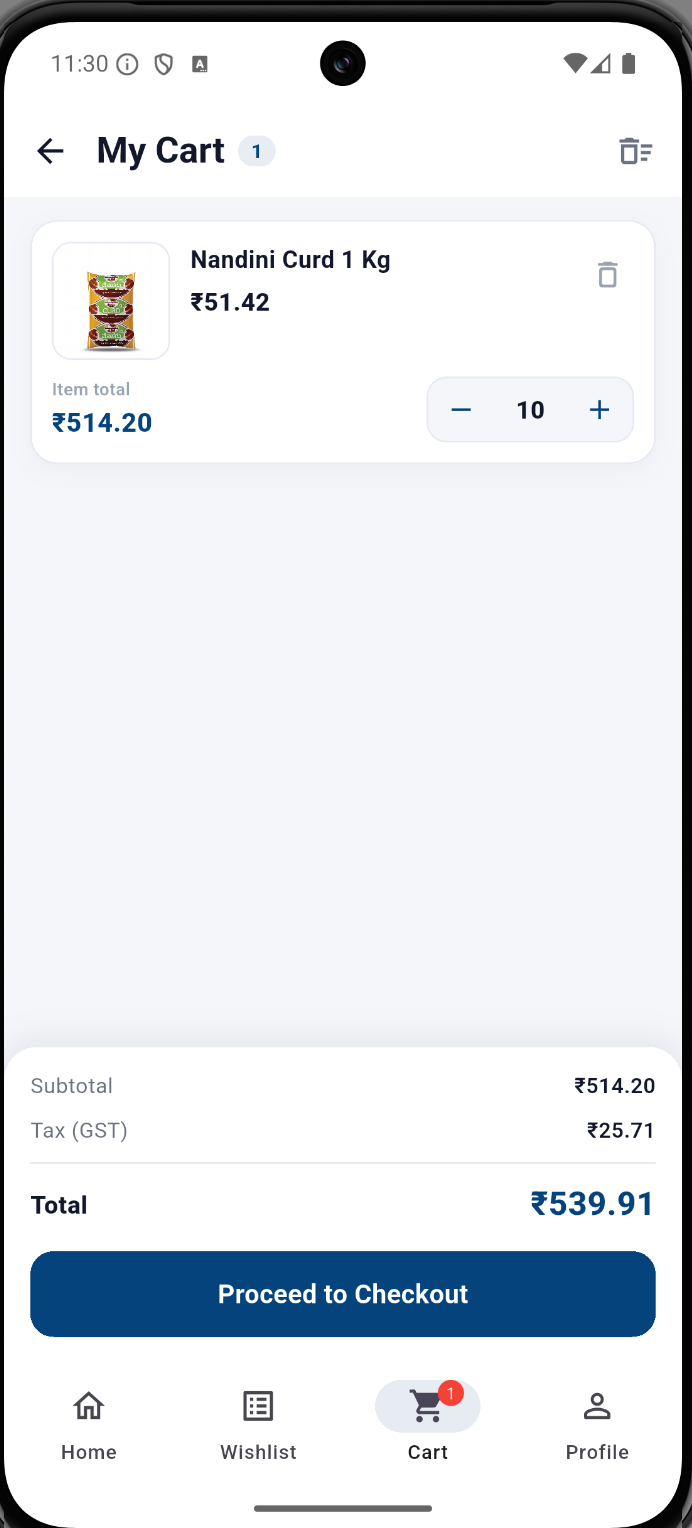
Review your cart
Adjust quantities and review item totals, the subtotal, and GST before checkout.
- 04
Choose delivery details
Select an available delivery date and time slot, then review your order summary before placing the order.
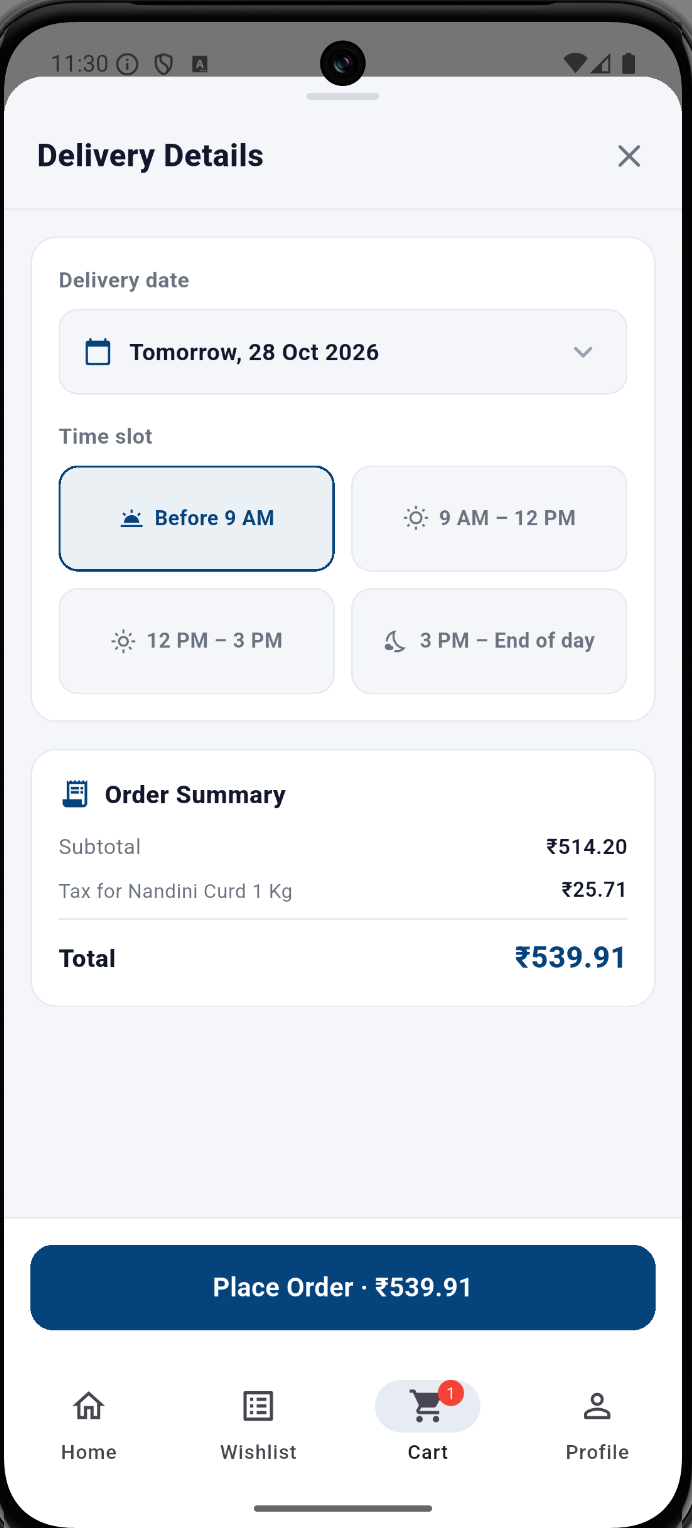
Screenshots show example account and order information. Prices, balances, delivery dates, and available slots shown are illustrative.
Get your business onboarded
App access is provided as part of business onboarding. Connect with our sales team to discuss products, quantities, pricing, and delivery to your location.
Contact Sales for OnboardingAlready a customer?
For help with Android or iOS app access, ordering, or an app issue, contact your Relationship Manager or visit App Support.
Visit App Support